
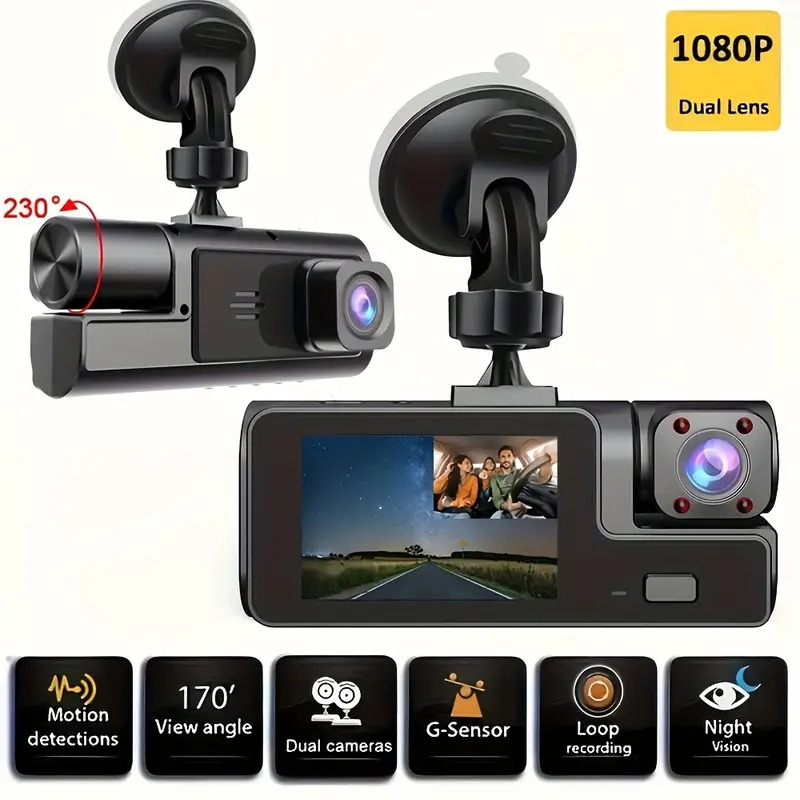
Description
Button Instruction
Turn ON/OFF The Camera :Long-press power button for 2-3s.
stop/start Recording :short-press press once to start/stop video recording
| PONNER& OK | short-press once to play/ pause current video in playback status | |
| 0 | short-press once to enter/save the setting in Menu setting short-press once to scrol DOWN in Menu setting | |
| DOWN BUTTON | short-press once to switch the display windows of the front camera , carbin cameral recording status.
short-press once to scroll to next video iles in playback status |
|
| UP BUTTON | short-press once to scro DOWN in Menu setting short-press once to mute Audio Recordingi ideo Mode
Enter the playback Modes:short-press once on M Button in NON-Recording status, it enters playback mode, press again to exit. You can playback the video recorded. |
|
| M BUTTON | Enter the MENU: Long-press once on M Bu tton in NON-Recordi g status, it enters menu, press again, it exits.You can set the dash cam
Lock the video Files:short-press once on M Button inRecording status,it locks the current video ile |
|
| RESET HOLE | Reset the Dash cam | |
| AV-IN HOLE | connectect with carbin camera | |
| TF CARD SLOT | Turn on of the cabin camera’s led lights | |
| POWER SLOT | Mini USB Power Interface |
Playback the videos
Methodl:playback on the PC.
Take out the SD Card and read it in the Pc. Then playback the videos on the Pc Method2: playback it on the Dashcam
Ostop recording
@short-press on then M button you WI rleach the playback Mode; using g Up and DOWN button to scrop up and down to choose iles to play.Long press on M button to delete/protectcurrent iles Oshort press M Under playback Mode to exit.
Causes Or Solutions
No boot:Make sure the vehicle is in the ignition on state, and manually press and hold the button to turn on
Cannot be recorded:No T F card, damaged T F card or T F card can’t be recognizable, format theTF card or replace the T F card
Record setting is faulty:Check the connection is normal
PRECAUTIONS BEFOREUSING THIS CAMERA
Oplease use the original car charger provided to avoid fault or in comp ability. The dash cam battery is just to maintain and save setings. It should be connected to the car charger to get constantly powered, if the power is interrupted to the unit, it will shut down @please”Reset”dash cam or rei sert & format if”SD Card error”. O/fAnyproblem, please feel free ask our after sales team.
Frequently Asked Questions
A”File Error”message appears on the machine:Settings menu>Restore factory settings and format the memory card.lt isusually a problem with the T F card.
Horizontal stripes appear on the screen:Please select the correct power supply frequency 50HZ(PAL).
How to correctly enable the 24-hour parking monitoring function:Please do not turn it on during normal driving,as it may cause automaticshutdown or crash.lt needs to be turned on afterparking.lfparking monitoring is required,please configure it.Set up a VCC step-down line(note that the output voltage is the sameas the cigarette lighter). The cigarette lighter car charger does not support parking monitoring.
The pictures taken at night are not clear enough:Recorder photography relies on strong external light sources (such asstreet lights/car lights).
The machine always reverts to the default date and time: The built-in battery is out of power,please use a cigarette lighter tocharge it fully.
Why does the video file lose seconds:(Please turn offthe motion detection function/turn on the looprecording function)lf you configure your owncard,you must choose a genuine CIO highspeed memory card.


There are no reviews yet.